There are two ways to enable GPS on the YaraConnect app. Do ensure you are at your shop location first before doing that.
First option:
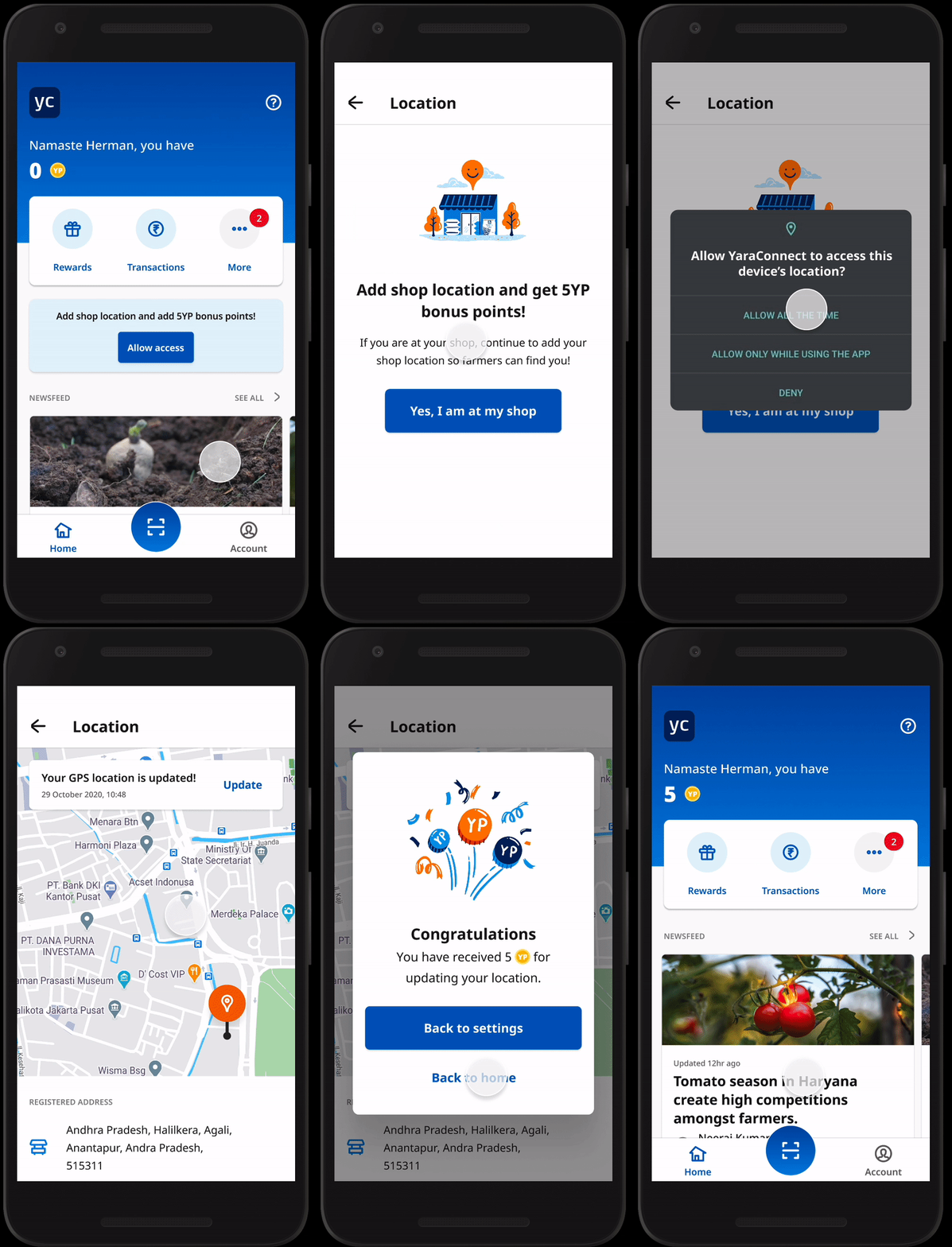 |
Step 1 On the home screen, tap on Allow access.
Step 2 Then tap Yes, I am at my shop then select Allow all the time.
Step 3 A notification Your GPS location updated! will appear across the screen. Your shop location is now saved. |
Second option:
 |
Step 1 Tap your Account.
Step 2 Scroll to GPS location, then select Yes, I am at the shop.
Step 3 Next, select Allow all the time.
Step 4 A notification Your GPS location updated! will appear across the screen. Your shop location is now saved. |